WARNING: Site Under Maintenance
Many things are still unfinished.
This project is less of an actual game I'd publish and more of a playground for lots of different gameplay mechanics and systems. The core mechanics and features are built to be an RTS City Builder, but I have also added some FPS elements to the game as well.
In the player's control room there is a terminal that when interacted with will switch over to a top down RTS mode. Pressing Escape (or 'P' in the editor) will return back to the first person character.
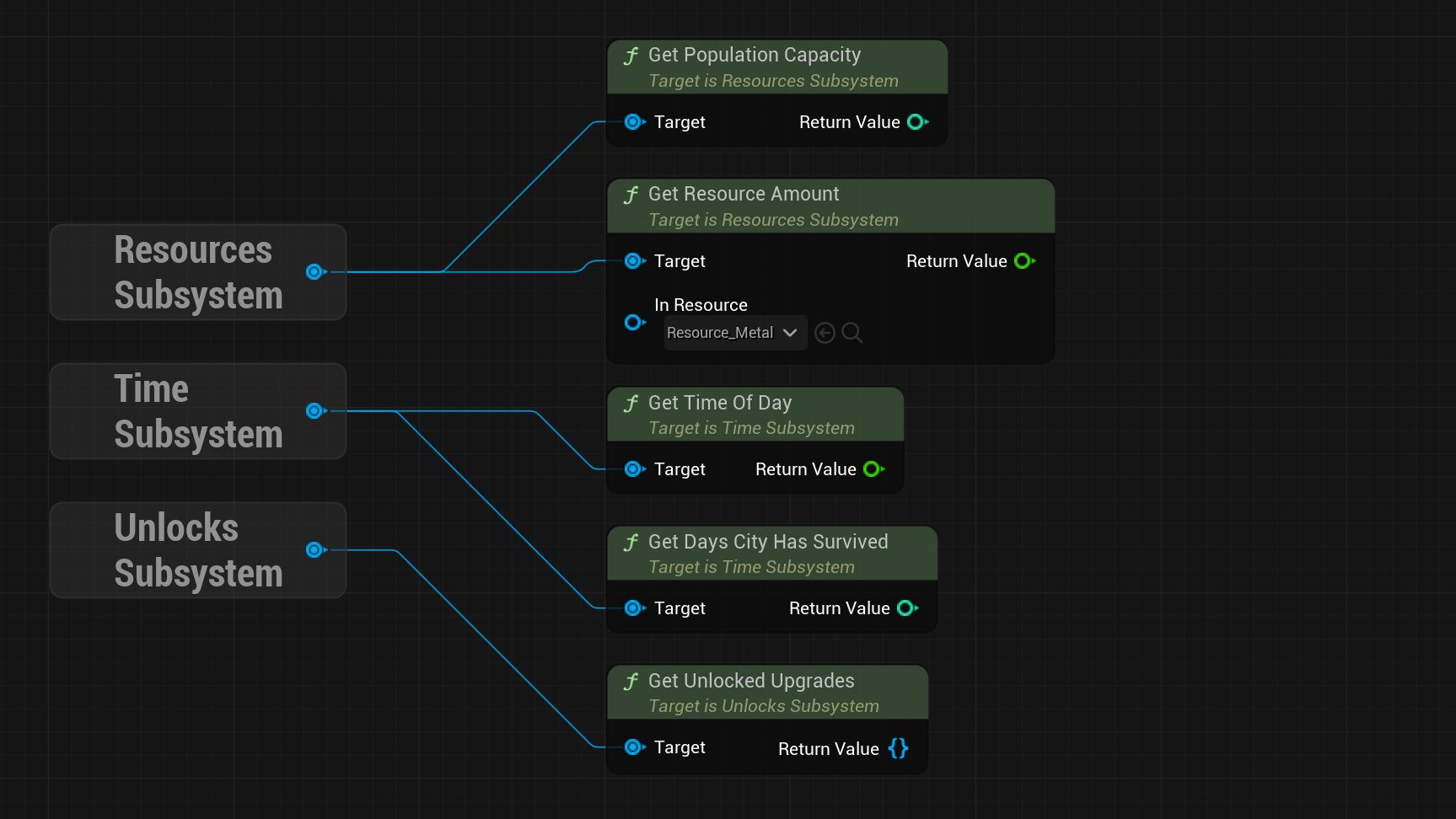
Much of the games logic is held inside various subsystems. These include:
a
Resources Subsystem ,
a
Time Subsystem,
and an
Unlocks Subsystem,
These subsystems are the backbone of the project and house some of the most important data
needed. They inherit from the Game Instance Subsystem allowing them to exist between levels for the
entire time the game is running. They can be easily accessed by any other class or blueprint that might need
to do so.
Structures can be selected via UI elements and are built using a grid system.
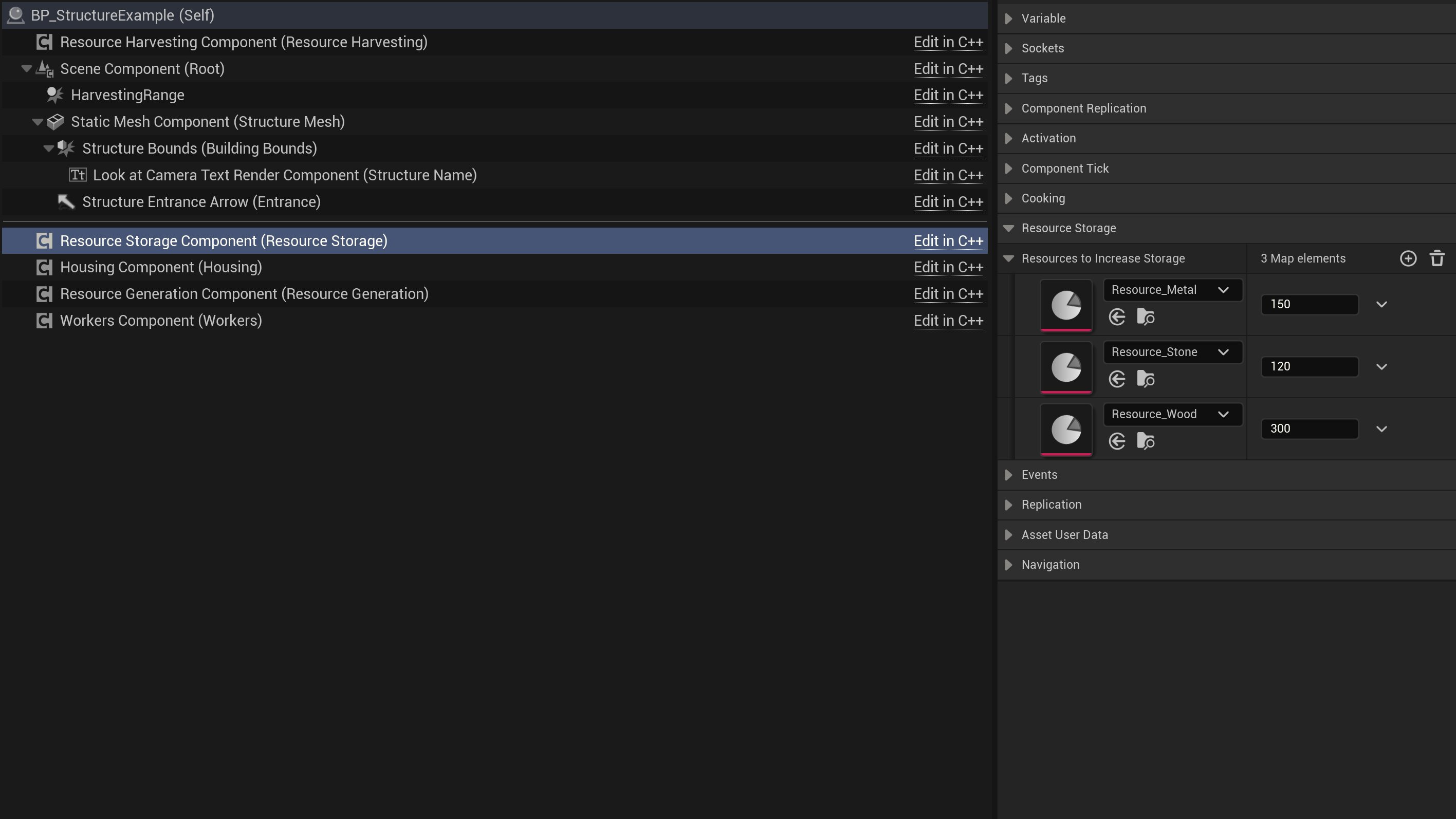
Structures are built using a component system. These components include:
a
Housing Component ,
a
Resource Generation Component,
a
Resource Harvesting Component,
a
Resource Storage Component,
and a
Workers Component.
By using a component system it's far easier to make any kind of structure
that might be needed now or in the future.
As a way to add a bit more visual variety, multiple different meshes can be added to structures. These meshes are soft pointers, preserving memory. When the structure is placed one of the meshes are randomly picked and loaded in asynchronously to prevent any stutters or hitches.
Save Files are managed in the Strategy Game Instance class. When the game saves it collects all necessary data from the player, structures, citizens, and resources. When that save files gets loaded it then respawns all necessary actors and sets all the correct data that was saved.
Terminals are interactive objects that can trigger certain events if the correct command is entered. Commands can easily be added via the Terminal's blueprint class. By selecting the 'Command Type' and entering the command itself it'll be added to an array of commands. The 'Remote Trigger' command type will use the Remote Trigger Interface to attempt to remotely activate any of the selected targets.
In the main base there is a Seat connected to a Remote Turret that can be interacted with. The turret is rendering its camera to a material for the player to see what the turret aiming at.
Automated Turrets have a set range and whenever an enemy enters that range they will lock on and shoot in the target's direction.

Objectives are a struct that can have multiple types which dictates when progress is made. Currently, the implemented types are either killing enemies or destroying destructible targets. When these actions are completed, a delegate will be broadcast for other classes to react.